AI abandoned cart recovery for WooCommerce means catching cart data through a webhook the moment a checkout stalls, letting an AI model draft a follow-up email from what was actually left in the cart, and sending it through your store’s own mailer. Neither WooCommerce nor AI Workflow Automation, a free WordPress plugin, has a native “cart abandoned” event, so building this well starts with knowing what fires the trigger.
We build this plugin, and the useful starting point is admitting the gap: WooCommerce ships with orders, webhooks and a mailer, but no event called cart abandoned. AI Workflow Automation is a free WordPress plugin with a visual drag-and-drop builder that runs AI workflows, agents, and chatbots inside your own site, using your own API keys, with no external subscription required. Getting from empty cart data to a personalized email takes one more piece, which most guides on this topic skip.
What is AI abandoned cart recovery, and why do WooCommerce carts get abandoned?
AI abandoned cart recovery is the practice of using an AI model to write a personalized follow-up message about one specific cart, instead of an identical templated reminder to every shopper who leaves. The scale of the problem is documented: Baymard Institute’s running average across 50 studies, last updated 22 September 2025, puts the rate at 70.22 percent.
Baymard also breaks down why shoppers leave, excluding the share who were just browsing. The top reasons, by how often shoppers cited them:
- Extra costs, such as shipping, tax or fees, were too high: 40 percent
- Delivery was too slow: 20 percent
- Did not trust the site with card details: 19 percent
- Site required account creation: 18 percent
- Checkout process was too long or complicated: 17 percent
None of those five reasons get fixed by a cleverer subject line. AI can personalize the message, but it cannot lower your shipping cost or shorten your checkout form, so treat the email as a second attempt at a sale, not a fix for the first one.
Does AI Workflow Automation have a built-in abandoned cart trigger?
No native abandoned-cart trigger exists in AI Workflow Automation, and none exists in WooCommerce either, because neither product logs a cart the moment it is left behind. What both provide is a way in: WooCommerce can send a webhook when an order’s status changes, and a dedicated cart-tracking plugin can log a cart before checkout starts. Either one can feed the plugin’s Webhook trigger node.
The two paths catch different moments. WooCommerce only creates an order once checkout is submitted, so a webhook on order status change catches checkout abandonment: someone who reached payment and stopped, left sitting in Pending payment or Failed status. It never sees a cart filled and closed before checkout began. WooCommerce’s own documentation puts it plainly: “A webhook is an event notification sent to a URL of your choice,” confirming that “WooCommerce can trigger webhook notifications each time you add, edit, or delete orders, products, coupons, or customers, when purchases are made, and more.” Catching a cart left before checkout starts takes a separate cart-tracking plugin that saves the cart and email address earlier, then posts that to the same trigger.
WooCommerce.com also sells a Cart Abandonment Recovery extension that tracks carts natively and sends its own templated reminder emails, a reasonable choice if a fixed template is enough. A workflow adds something different when the reminder should read like it was written for that one cart, or when it needs to sit alongside other automation you already run through the plugin.
How do you build an AI-personalized abandoned cart recovery workflow?
Building this workflow means wiring a Webhook trigger to an AI Model node that drafts the email from the cart contents, then a Send Email node that delivers it. First, install a cart-tracking plugin or confirm WooCommerce’s webhooks are available, and add your AI provider key (OpenAI or OpenRouter) in the plugin’s Settings. Local mode, using your own key, is free and needs no account.
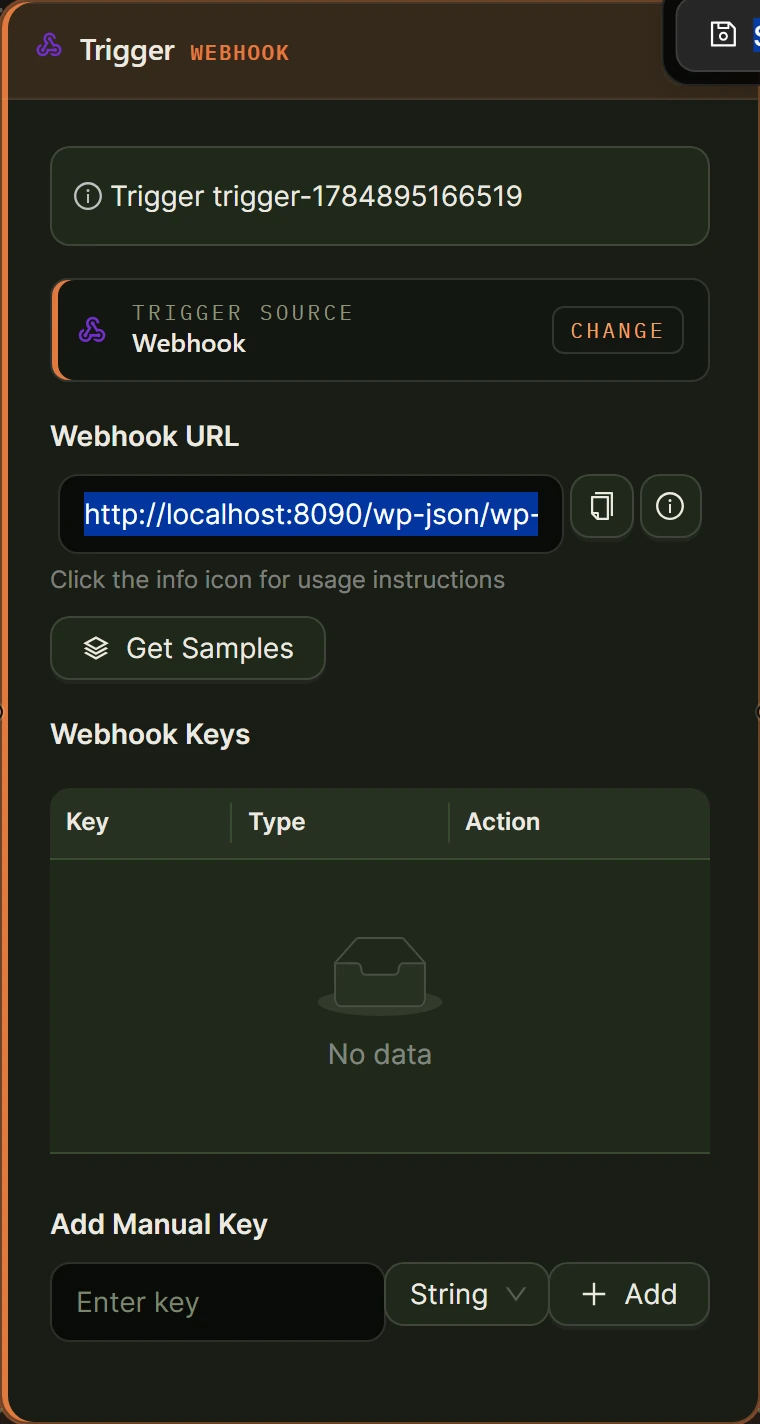
- Add a Trigger node and choose Webhook from the External group, then copy the generated Webhook URL.
- Point a cart-tracking plugin, or WooCommerce’s own webhook (topic Order updated), at that URL, send a test payload, and click Get Samples so the node reads the keys automatically. Key names depend on the sender; this example assumes
customer_email,cart_itemsandcart_total. WooCommerce webhooks cannot filter by status themselves, so with that source add a Condition that only continues for Pending payment or Failed orders. - Drag an AI Model node onto the canvas and connect it to the trigger (it appears as AI Prompt in the node palette). Choose your provider and model, turn on Structured output, add two fields, subject and body, then write a prompt: “Write a short, friendly reminder about the cart at [[cart_items] from trigger-1], worth [[cart_total] from trigger-1]. Keep it under 120 words and do not invent a discount.”
- Add a Condition node with input [[cart_total] from trigger-1], comparison greater than, and a threshold you choose, to separate high-value carts from ordinary ones.
- Wire the true handle to a Human Input node set to Approval Required, so someone checks the message before it goes out on your biggest carts, and wire the false handle straight past it.
- Add a Send Email node fed by both paths: To set to [[customer_email] from trigger-1], Subject to [[subject] from ai-1], Body to [[body] from ai-1], Send as HTML on, and Delay set to an hour or two.
- Save the workflow, click Run to test against your sample payload while watching the live execution panel, then point your live cart-tracking plugin or WooCommerce webhook at the workflow’s Webhook URL.
| Node | Role in this workflow | Cloud credit cost |
|---|---|---|
| Webhook trigger | Receives the cart data | 0 |
| AI Model, structured output | Writes the subject and body | 2 |
| Condition | Splits high-value carts from ordinary ones | 0 |
| Human Input | Approves the message on high-value carts | 0 |
| Send Email | Sends through your site’s mailer | 0 |
How does AI personalize the recovery message from real cart contents?
AI personalizes a recovery message by reading the cart data from the trigger and writing a fresh subject line and body around it, rather than filling blanks in a fixed template. On the AI Model node’s Model tab, turning on Structured output makes the model return named fields, subject and body, referenced downstream as [[subject] from ai-1] and [[body] from ai-1], instead of one block of text to parse yourself.
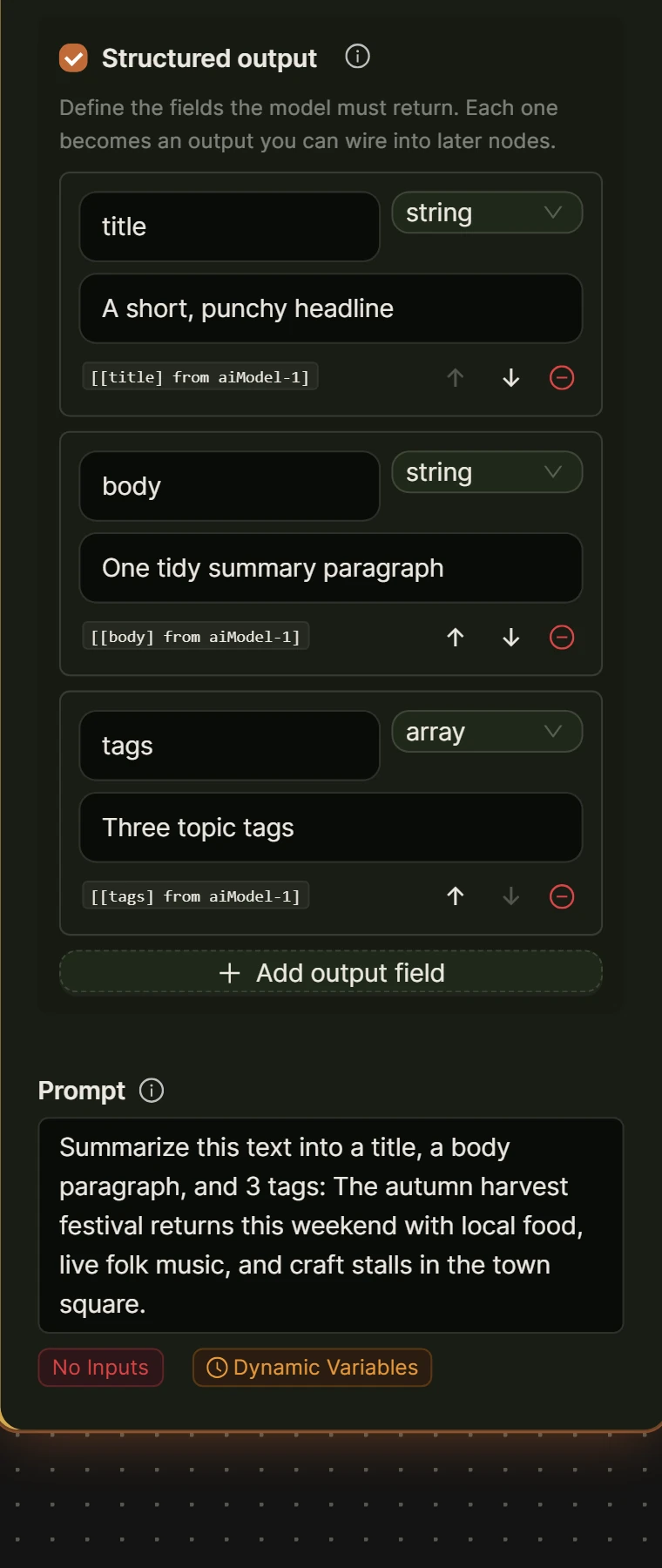
Two guardrails belong in the prompt itself. Tell the model not to invent numbers it was not given, a discount, a delivery date, a stock count, because a fabricated 10 percent off email that finance never approved is a real support problem. And keep the message short: a model asked to write a short, friendly reminder produces something closer to a real email than one asked to sell the customer.
What do you need to know about consent and email law before sending recovery emails?
Consent and email law apply to abandoned cart emails the same as any commercial email, because a shopper who typed their address into a checkout field did not necessarily agree to marketing. In the United States, the CAN-SPAM Act requires a working opt-out mechanism and a fast response to it: the FTC’s own compliance guide states that “you must honor a recipient’s opt-out request within 10 business days.”
Rules differ by region, and a UK or EU store has its own consent requirements for electronic marketing on top of CAN-SPAM. This is not legal advice, so check what applies to your customers before sending a marketing-style follow-up, and include a working unsubscribe link regardless. Your site’s own mailer sends the message, so the responsibility for what it says sits with you.
Can an on-site AI assistant prevent cart abandonment before it starts?
An on-site AI assistant can reduce cart abandonment before it happens by answering the questions that make shoppers leave, rather than only reaching out afterward. AI Workflow Automation’s Chatbot node can sit on product and cart pages, and with page context turned on it reads the page title, URL and content summary; on a WooCommerce product page it also gets the price, SKU, stock status and categories, so it can answer a shipping or returns question on the spot.
That lines up with Baymard’s own reasons for leaving: unclear extra costs, an unsatisfactory returns policy, and distrust of the checkout page are three of the top causes, and all three are questions a chat widget with page context can answer in seconds. The widget can also show products as rich cards with an Add to cart button, so a hesitant shopper can act without leaving the chat.
Frequently asked questions
Can WooCommerce recover abandoned carts without a paid extension?
Yes, but not out of the box. WooCommerce does not track a cart until checkout begins and has no built-in abandoned-cart email. A workflow like the one above adds the missing piece for free: a cart-tracking plugin or WooCommerce’s own order webhook supplies the trigger, and AI Workflow Automation writes and sends the follow-up using your own AI provider key. WooCommerce.com’s own extension is the paid, template-based alternative.
Do I need a customer’s email before checkout finishes to send a recovery message?
Yes. WooCommerce only stores an email address once someone reaches checkout, so a cart abandoned before that point has no address to email. Catching it earlier needs a cart-tracking plugin that saves the email as soon as it is typed into the checkout field, before the order is placed. Without that piece, a recovery workflow can only react to checkouts that were started and then stopped.
Is it legal to send a follow-up email about an abandoned cart?
Generally yes, if the shopper gave you their email as part of using your checkout, but the message still has to follow commercial email law. In the US, the CAN-SPAM Act requires a working opt-out link and a response within 10 business days. Other regions have their own consent rules for marketing email. Confirm what applies to your customers, and include an unsubscribe link regardless.
What makes an AI-written recovery email different from a template?
A template fills blanks, usually a name and a product name, into a fixed layout every shopper receives. An AI Model node with structured output reads the actual cart data, the items, the total, sometimes the page viewed, and writes the subject and body fresh each time, in a tone you set through instructions. It still needs guardrails: tell it not to invent a discount, a delivery date, or a stock number it was not given.
The build above is the free version: your own AI provider key, your own site sending the email, and no subscription required. Install AI Workflow Automation free from the WordPress plugin directory, and see more ways stores use it on the e-commerce workflows page.