Skip to content
wpaiworkflowautomation-logo AI Workflow Automation
  • Demos
  • Overview
  • Features
  • Price
  • Documentation
  • Blog
Download free
  • Demos
  • Overview
  • Features
  • Price
  • Documentation
  • Blog
Download free

Introduction

3
  • Overview of AI Workflow Automation Pro
  • Key Features and Benefits
  • System Requirements

Installation and Activation

2
  • How to Install AI Workflow Automation Pro
  • Initial Setup and Configuration

Getting Started

4
  • Welcome Screen & Templates Modal
  • Understanding AI Workflow Automation WordPress plugin: A Deep Dive
  • Quick Start Guide
  • Understanding the User Interface

Core Concepts

6
  • Workflows Explained
  • Nodes and Their Types
  • Edges and Connections
  • Triggers and Actions
  • Data Flow and Variable Handling
  • Execution and Scheduling

Node Types

16
  • MCP Node
  • Create File Node
  • Multimedia Generator Node
  • Chat Node
  • API Call Node
  • Unsplash Image Search Node
  • Trigger Nodes
  • AI Model Node
  • Specialized AI Nodes
  • Output Node
  • Human Input Node
  • Condition Node
  • Post Node
  • Send Email Node
  • Web Scraper/Crawler node
  • Parser Node

Trigger Nodes

8
  • Ninja Forms Integration
  • WPForms Integration
  • Contact Form 7 Integration
  • RSS Trigger Node
  • Gravity Forms Trigger
  • Webhook Trigger
  • WordPress Core Trigger
  • Workflow Trigger

AI Nodes

6
  • Research Node
  • Sentiment Analysis Node
  • Summary Generator Node
  • Extract Information Node
  • Write Article Node
  • Optimize SEO Node

Output Nodes

5
  • Save to Google Sheets
  • Save to Google Drive
  • Save to Database
  • Webhook Output
  • HTML/Shortcode Output

Building Workflows

2
  • Step-by-step Guide to Creating Workflows
  • Automatically generate a content creation workflow using AI-Powered workflow generator

Advanced Features

4
  • Cost Management
  • Retrieval-Augmented Generation (RAG)
  • Annotation Tools
  • Workflow Import/Export

API Documentation

2
  • Google Integration Setup
  • API Settings and Integrations

FAQ

1
  • Security Overview
View Categories
  • Home
  • Docs
  • Getting Started
  • Understanding the User Interface

Understanding the User Interface

1 min read

The AI Workflow Automation interface consists of several key areas:

  • Workflow Management:
    • Access this via AI Workflows > Workflow Management.
    • View, edit, delete, schedule, and create new workflows.
workflow management
  • Workflow Builder:
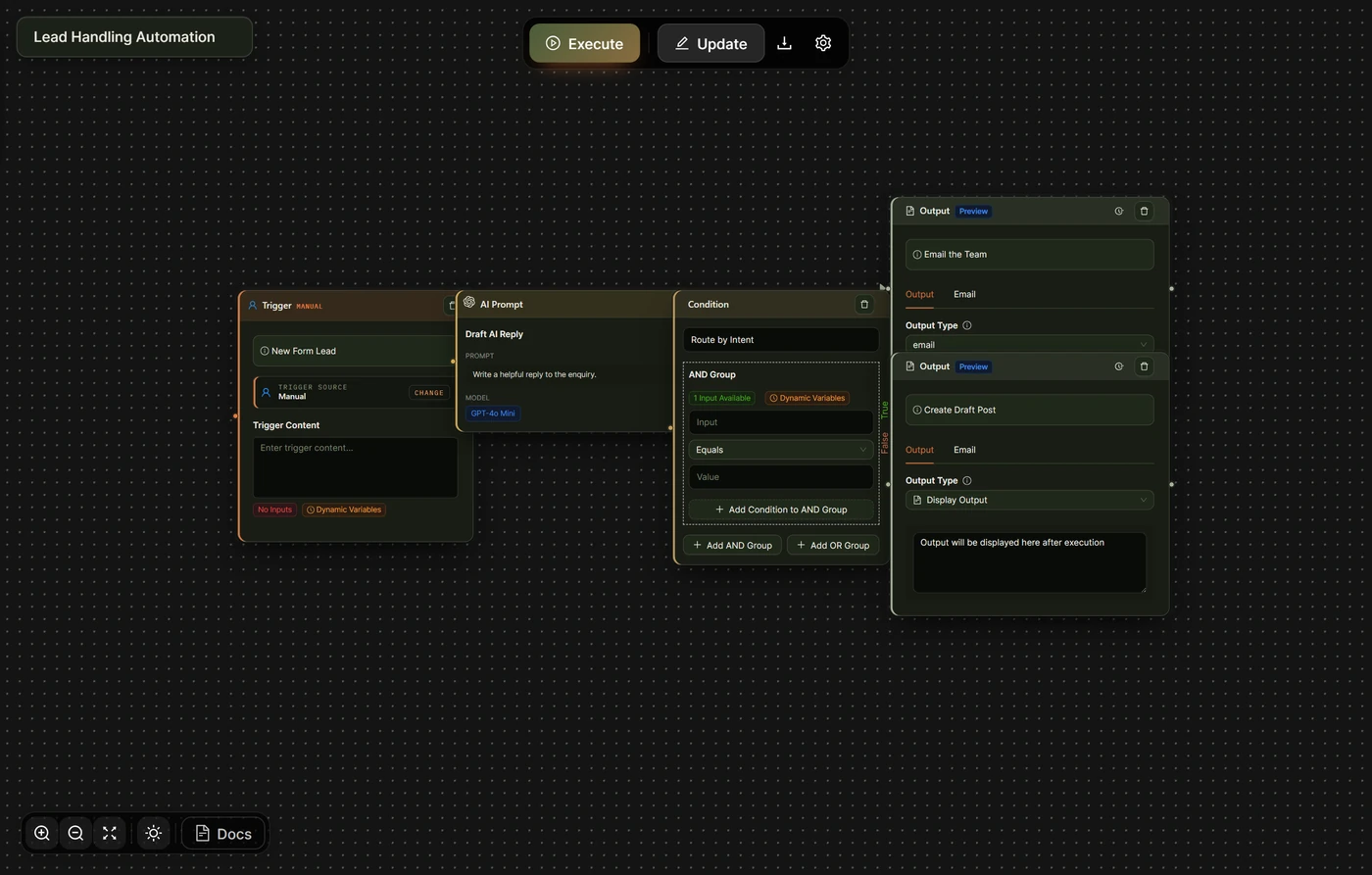
    • The main canvas where you design your workflows.
    • Sidebar with available nodes.
    • Properties panel for configuring selected nodes.
workflowbuilder
  • Workflow Queue:
    • Monitor completed, ongoing and scheduled workflow executions.
    • See results of each execution per node.
workflowqueue
  • Settings:
    • Configure global settings, API keys, and license information.
setting2 1
  • Templates:
    • Access your own saved template workflows and manage them.
Templates
  • Inbox
    • Manage tasks assigned to you as a user from a workflow.
    • View, approve, reject, revert or modify tasks.
Inbox
  • Saved outputs
    • Access all the databases created within the AI Workflow Automation plugin for output data of workflows
    • Download .CSV format files of each table.
    • Manage entries, delete rows or delete tables
savedoutputs

Key UI Elements in the Workflow Builder: #

  • Nodes: Represent actions or decision points in your workflow.
  • Edges: Connect nodes to define the flow of data and logic.
  • Node Configuration Panel: Appears when you select a node, allowing you to set its properties.
  • Minimap: Helps navigate complex workflows (located in the bottom-right corner).
  • Workflow Controls: Save, execute, or create a template from your current workflow.
interface

With this understanding of the basics, you’re ready to start exploring the full potential of AI Workflow Automation. In the next sections, we’ll dive deeper into each component and advanced features of the plugin.

Updated on September 30, 2024

What are your Feelings

  • Happy
  • Normal
  • Sad
Share This Article :
  • Facebook
  • X
  • LinkedIn
  • Pinterest
Table of Contents
  • Key UI Elements in the Workflow Builder:
wpaiworkflowautomation-logo AI Workflow Automation
+--+  +--+
|  *--+  |
+--+  +--+
|  +--*  |
+--+  +--+

Agentic AI workflows, built visually inside WordPress. Free and open to build on — cloud when you need the muscle.

Product

  • Features
  • How it runs
  • Pricing
  • Credits

Resources

  • Case Study
  • Blog Posts
  • E-commerce
  • Content Creation
  • Real Estate
  • Finance
  • Education
  • Guide

Company

  • Contact
  • Affiliates

Legal

  • Privacy Policy
  • Terms and Conditions
  • Cookie Policy (UK)
  • Cookie Policy (EU)
automation
© 2026 AI Workflow Automation wpaiworkflowautomation.com
Manage Consent
To provide the best experiences, we use technologies like cookies to store and/or access device information. Consenting to these technologies will allow us to process data such as browsing behavior or unique IDs on this site. Not consenting or withdrawing consent, may adversely affect certain features and functions.
Functional Always active
The technical storage or access is strictly necessary for the legitimate purpose of enabling the use of a specific service explicitly requested by the subscriber or user, or for the sole purpose of carrying out the transmission of a communication over an electronic communications network.
Preferences
The technical storage or access is necessary for the legitimate purpose of storing preferences that are not requested by the subscriber or user.
Statistics
The technical storage or access that is used exclusively for statistical purposes. The technical storage or access that is used exclusively for anonymous statistical purposes. Without a subpoena, voluntary compliance on the part of your Internet Service Provider, or additional records from a third party, information stored or retrieved for this purpose alone cannot usually be used to identify you.
Marketing
The technical storage or access is required to create user profiles to send advertising, or to track the user on a website or across several websites for similar marketing purposes.
Manage options Manage services Manage {vendor_count} vendors Read more about these purposes
View preferences
{title} {title} {title}
Manage Consent
To provide the best experiences, we use technologies like cookies to store and/or access device information. Consenting to these technologies will allow us to process data such as browsing behavior or unique IDs on this site. Not consenting or withdrawing consent, may adversely affect certain features and functions.
Functional Always active
The technical storage or access is strictly necessary for the legitimate purpose of enabling the use of a specific service explicitly requested by the subscriber or user, or for the sole purpose of carrying out the transmission of a communication over an electronic communications network.
Preferences
The technical storage or access is necessary for the legitimate purpose of storing preferences that are not requested by the subscriber or user.
Statistics
The technical storage or access that is used exclusively for statistical purposes. The technical storage or access that is used exclusively for anonymous statistical purposes. Without a subpoena, voluntary compliance on the part of your Internet Service Provider, or additional records from a third party, information stored or retrieved for this purpose alone cannot usually be used to identify you.
Marketing
The technical storage or access is required to create user profiles to send advertising, or to track the user on a website or across several websites for similar marketing purposes.
Manage options Manage services Manage {vendor_count} vendors Read more about these purposes
View preferences
{title} {title} {title}