What an account gives you
You do not need an account to use AI Workflow Automation. The visual builder, all node types, triggers, and the chat widget are free in Local mode with your own API key.
You connect a free account only when you want the optional cloud features:
- Keyless AI, so you never manage a provider key.
- Cloud execution, so long workflows avoid PHP timeouts and scheduling runs server-side.
- Credits, which meter both of the above.
Connecting your account
Open the Account & Credits panel in the builder. You can sign in two ways:
- Continue with Google for one-click sign-in.
- Email and password, with your first name, last name, and organization.
When you connect, your site registers with the platform and receives a site key, so cloud runs and usage are tied to this specific site. New accounts receive a one-time starter grant of free credits so you can try cloud features right away.
If you held a license for the older 1.x version, your entitlement is honored automatically the first time you connect. There are no manual steps: your benefit is converted to monthly credits on your account.
Seeing your credits
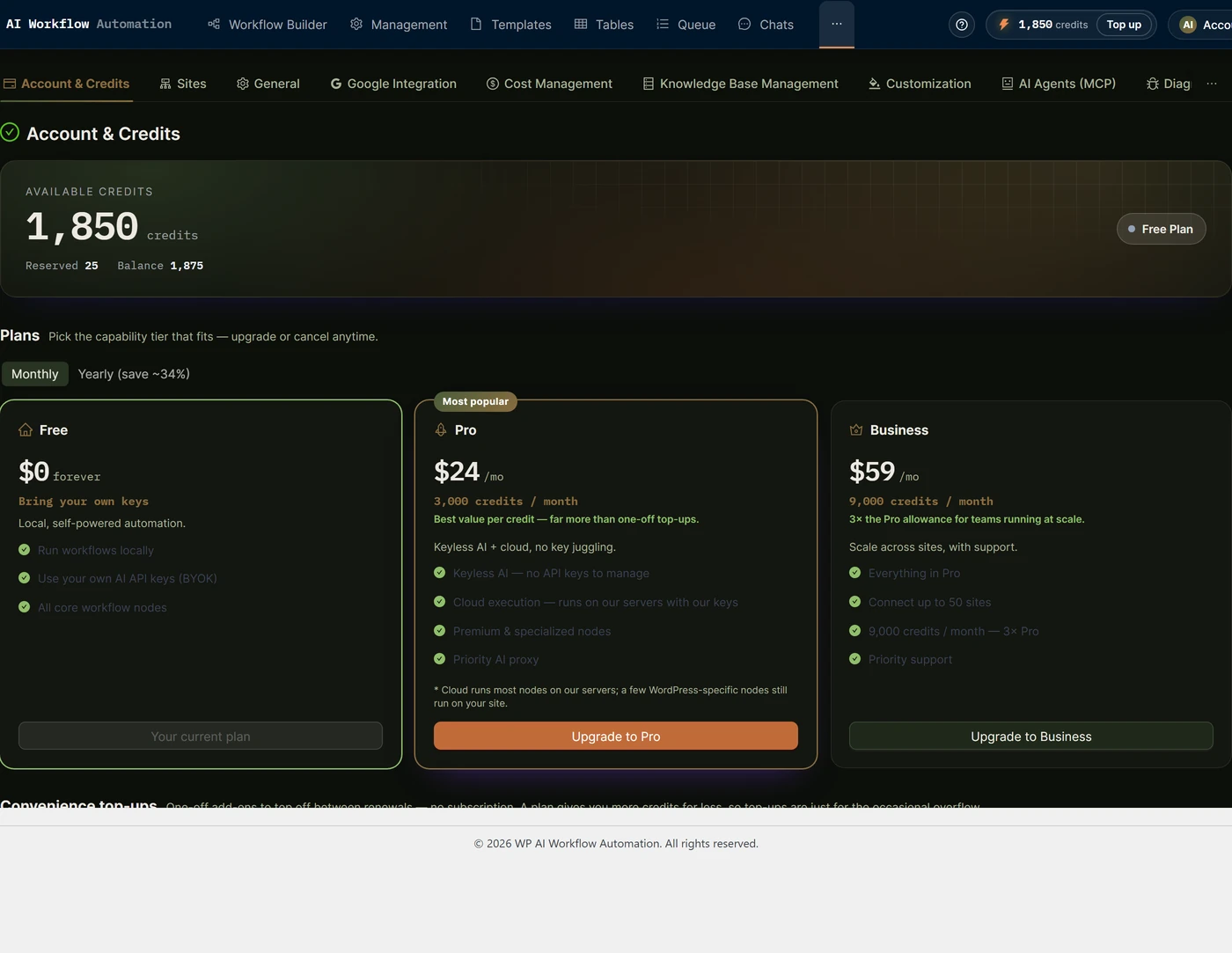
Once connected, the Account panel shows your current credit balance directly in the builder, so you always know where you stand before running a cloud workflow or spending on keyless AI.
The Usage Center
The Usage Center is the full history of your credit activity. It shows:
- Daily consumption over the last 30 days, so you can see spending trends at a glance.
- Recent activity, a running log of every credit event.
Activity is grouped so you can see exactly where credits come from and go:
- Usage: credits spent on runs and AI calls.
- Purchases: top-ups and subscription grants you have bought.
- Grants and bonuses: your signup starter credits and any promotional or migration grants.
- Refunds and adjustments: corrections applied to your balance.
Each entry lists the amount and when it happened, and you can load more history as you scroll.
How credits are spent
A cloud run costs a small base credit plus the per-node cost of each step. Keyless AI on a Local workflow spends only the per-node cost. Free structural nodes such as triggers, conditions, and most WordPress actions cost nothing. For the per-node figures and how to read your spend, see Cost and usage tracking.