The Operator Inbox
The Operator Inbox is a real-time console inside wp-admin where your team handles two things from your AI agents: conversations that were handed off to a human, and tool calls that are waiting for approval. Open it from Inbox in the top navigation.
The Inbox tab in the top navigation shows a badge with the number of items waiting: pending approvals plus handed-off conversations that need a reply.
What appears in the Inbox
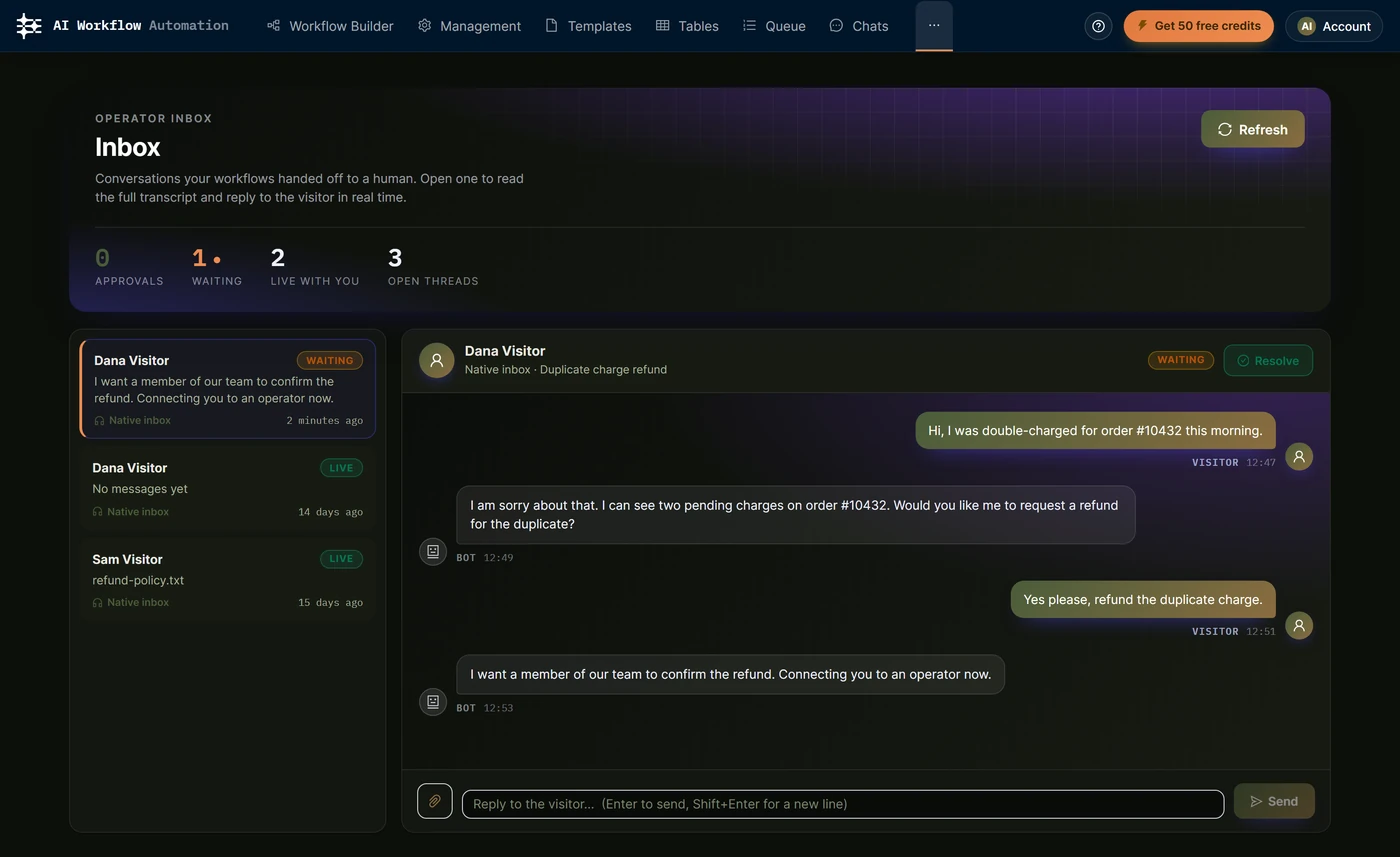
The list has two kinds of rows:
- Approvals: an agent has paused because it wants to run a tool that requires approval.
- Conversations: chats that were handed off from the built-in (Native) handoff provider.
Each conversation carries a status badge:
- Waiting: handed off and waiting for a human.
- Live: a human is in control right now.
- Bot: the bot is handling it.
- Approval: a pending tool approval.
Replying to a conversation
Open a conversation to read the full transcript. Messages are labeled Visitor, Bot, or You, so you can see exactly what the agent said before you stepped in.
- Type a reply and send it. It is relayed to the visitor live.
- Share a file if uploads are enabled on that chatbot. Files are exchanged both ways during a handoff.
- When you are done, choose Resolve. The conversation returns to the bot and the visitor sees the chatbot’s resolved message.
If you resolve too early, just reply again to retake the conversation.
Approving or rejecting an agent action
When a tool requires approval, the agent stops and the exact call it wants to make appears in the Inbox as an approval card. The card shows the requested action and its arguments.
- Approve replays the locked call and resumes the conversation. If the approval belongs to a live chat, that conversation stays open so you can watch the resumed reply land in the transcript.
- Reject declines the action and lets the agent continue without it.
Set which tools require approval on the Actions tab of the Chatbot node. See Agent actions and tools.
How it relates to Tasks and handoff
A Native handoff creates a human task, so handed-off conversations also appear on the Tasks page. The Operator Inbox is the fast, real-time surface for replying and approving; the Human Input node and the Tasks page cover the broader human-in-the-loop review flow.