Every workflow starts with a trigger. The Trigger node is the entry point that decides when and how a workflow runs. You add one Trigger node, choose a source, and everything downstream reacts to the data it produces.
Choosing a trigger source
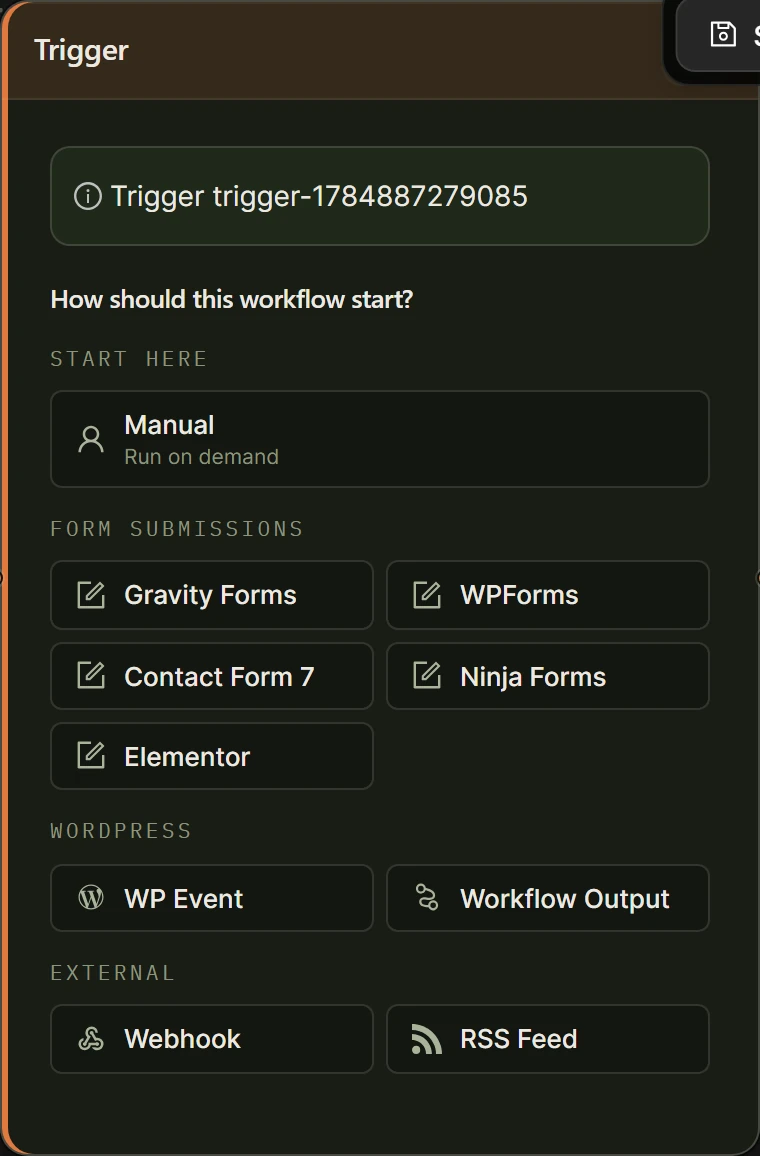
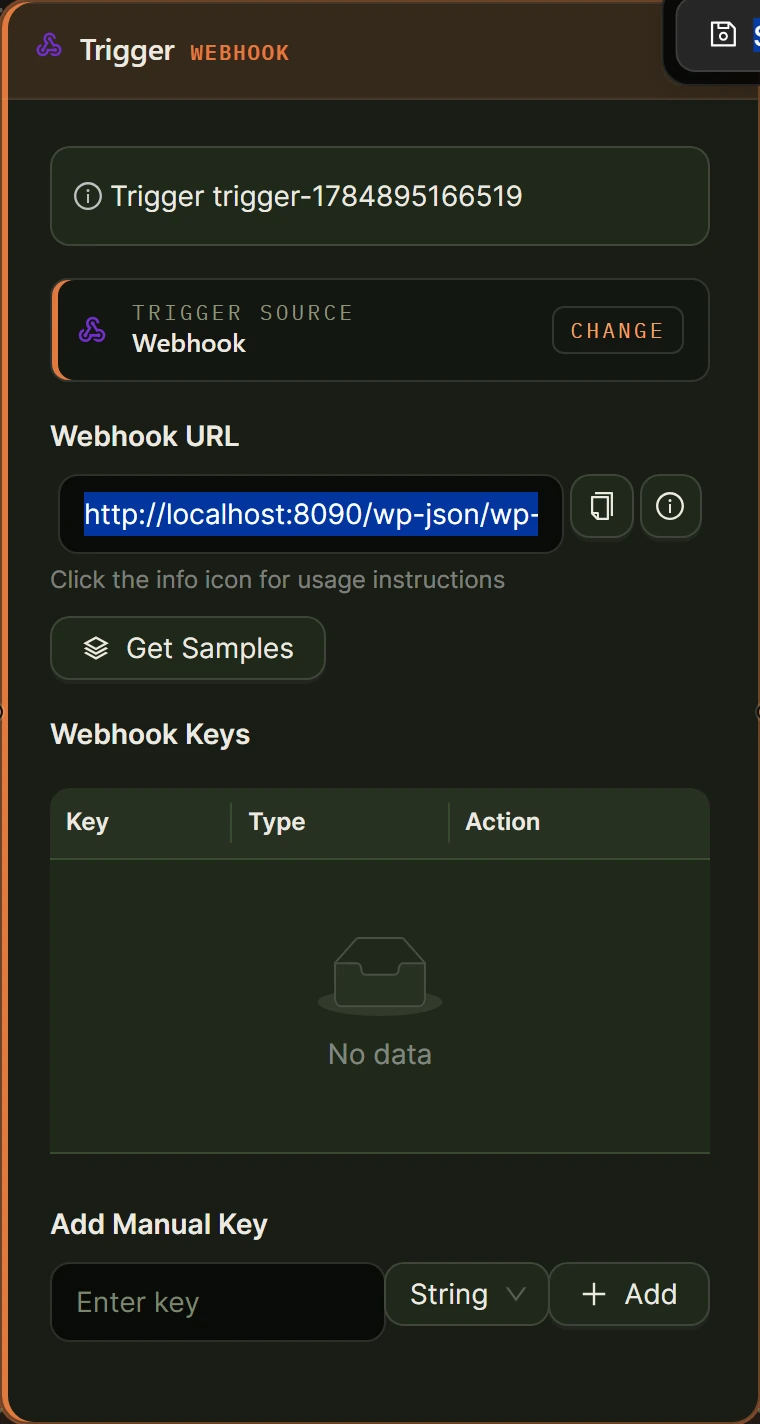
When you add a Trigger node, it asks “How should this workflow start?” and shows the sources grouped into four sets. Pick a tile and the node collapses to a compact summary. Use the Change link on that summary to switch sources later.
Start here
- Manual: run the workflow on demand from the builder, from the Workflows list, or on a schedule you set at the workflow level. You can type optional starting text that becomes the trigger output.
Form submissions
Run the workflow whenever a form is submitted. Each captured field is exposed as a named value you can reference downstream.
- Gravity Forms Trigger
- WPForms Trigger
- Contact Form 7 Trigger
- Ninja Forms Trigger
- Elementor Forms Trigger (added in the 2.0 series)
WordPress
- WordPress Core Trigger: react to core events such as a post being published, a user registering, a comment being inserted, a login, or a post status change.
- Workflow Trigger (Workflow Output): start this workflow from the output of another workflow, so you can chain workflows together.
External
- Webhook Trigger: receive data from an external app or an HTML form posted to a unique inbound URL.
- RSS Trigger Node: poll an RSS feed on an interval and run once per new item.
There is no schedule trigger type
Scheduling is not a trigger source. To run a workflow on a recurring schedule, open the workflow from the Workflows management page and set its schedule there. Any trigger type can be combined with a workflow-level schedule. See Execution and Scheduling for details.
What a trigger produces
A manual trigger produces a single text payload. You reference the whole payload with a tag:
[Input from trigger-1]
Form, webhook, and RSS triggers expose named fields. You reference one field by its label or key:
[[Email] from trigger-1]
Field names come from the form or payload and are known when the workflow runs, so you can type them directly. See Data Flow and Variable Handling for the full tag syntax.
Local and Cloud
The Trigger node costs no credits and works in both Local vs Cloud execution modes. Some sources behave differently between modes: inbound webhooks and scheduled polling are most reliable on Cloud, where runs are handled by the hosted engine without PHP timeouts.