The Web Scraper node turns the web into clean, AI-ready data. It is built on the Firecrawl v2 API and offers five operations, so you can pull a single page, crawl a whole site, discover URLs, run a web search, or extract structured data with an agent.
Five operations
- Scrape reads a single URL and returns its content.
- Crawl follows links across a site and returns many pages.
- Map discovers a site’s URLs without scraping their content.
- Search runs a web, news, or image search and returns results.
- Agent extracts structured data from a prompt or schema. This is the v2 replacement for the old extract endpoint.
Key configuration
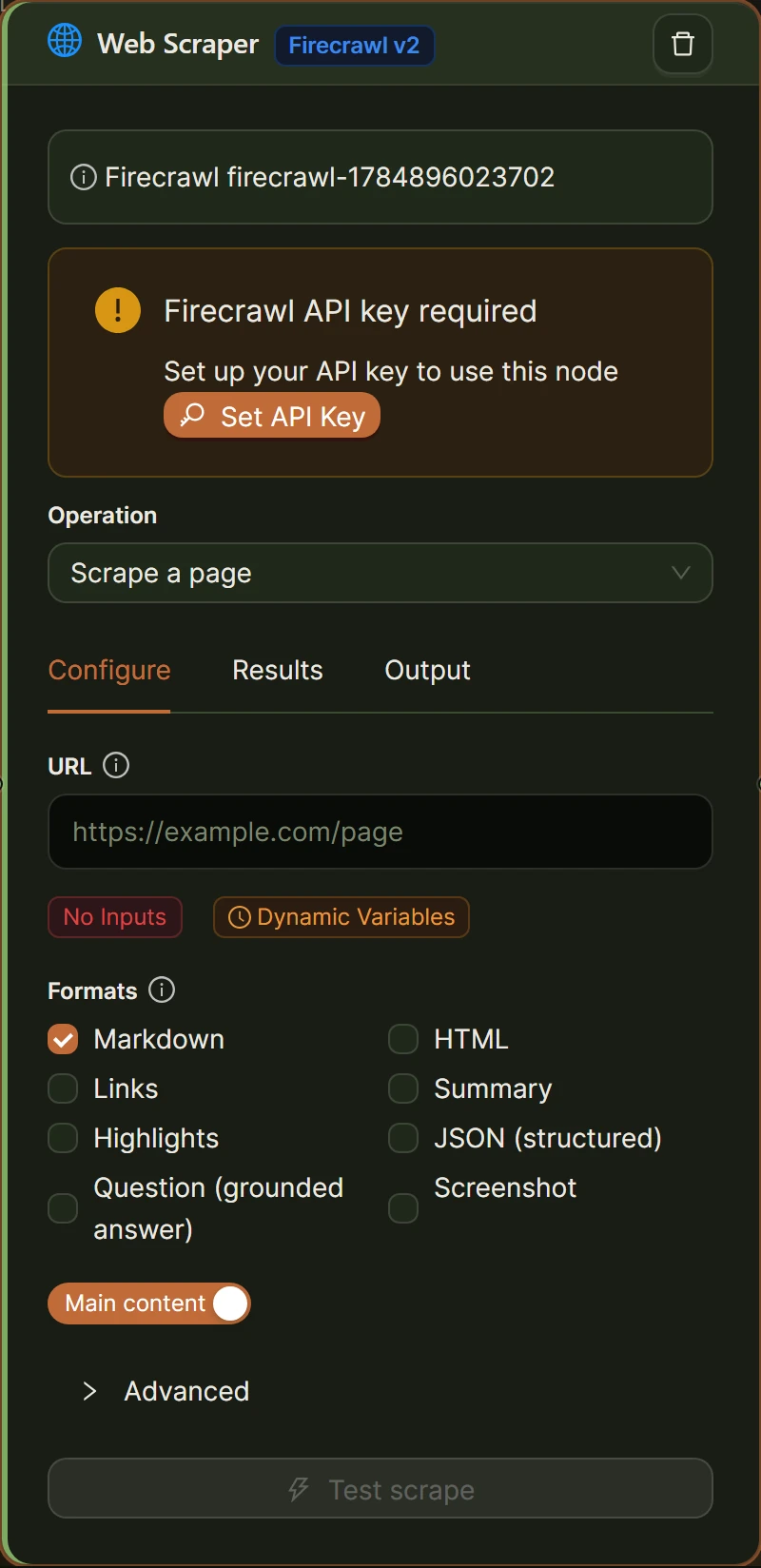
| Field | Applies to | What it does |
|---|---|---|
| Operation | All | scrape, crawl, map, search, or agent. Defaults to scrape. |
| URL | Scrape, Crawl, Map | The target or starting URL. Supports variable tags. |
| Query | Search | The search query. Supports variable tags. |
| Formats | Scrape | Output formats: markdown, html, rawHtml, links, summary, highlights, json, question, screenshot. json is structured extraction, question is a grounded answer, highlights are matching blocks. |
| Only main content | Scrape | Return only the main content area. On by default. |
| Limit, include and exclude paths, crawl entire domain, sitemap, discovery depth | Crawl | Control how far and where the crawl goes. |
| Map search, map limit, include subdomains | Map | Filter and bound URL discovery. |
| Sources, categories, search limit, search scrape, location | Search | Choose web, news, or images, and optionally scrape each result. |
| Agent prompt, agent fields, agent URLs | Agent | The extraction prompt, the schema fields, and optional seed URLs. |
Structured extraction
The json scrape format and the Agent operation both return a structured object. Reference the whole result with [Input from <id>], and pull a field with [[json.<field>] from <id>] or [[agent.<field>] from <id>]. See Data flow and variables.
Local or Cloud, and cost
The Web Scraper runs in both Local and Cloud modes and costs 5 credits per run. See Cost and usage tracking.
Worked example: scrape a page
- Set the operation to scrape and the URL to
https://example.com/blog. - Set formats to markdown and keep only main content on.
- Summarize the result with an AI Prompt node.
Related
- Document Parser node for files rather than web pages
- Loop / While node to process many scraped pages
- Data flow and variables
Was this helpful?
Contact us